ARABART
The Arabic library Yasser Awad wrote in Port Said, Egypt, from 1991 to 1993: assembly code, five hand-drawn fonts, and no internet. Type below. His own code, running in your browser, joins every letter.
الفن العربي
Font 5 has its own big letters only for الشمس, The Sun. Other letters come from font 1.
Stored as his programs stored it: ~gtk ~guvfd
On an English keyboard, press the key where the Arabic letter sits on an Arabic keyboard: g is ل, h is ا, j is ت. Shift+1 to 4 switch italic, bold, underline and double size in the middle of a line, as in his editor. Shift+8 turns them all off.
Load it once. Every program can write Arabic.
ARABART is a tiny service that lives in memory. Any program on the PC asks it to draw Arabic with a single call, the way an app today calls a local API.
Run ARABART.EXE and you get the DOS prompt straight back. But 30,110 bytes of it stay behind in memory, waiting for work. DOS called this a TSR. Today we would call it a background service.
To be reachable from any program, Yasser plugged it into something every program already used: the PC's built-in video service, INT 10h. Ask that service for ARABART’s own function number, and ARABART answers. Ask for anything else, and ARABART checks it in three instructions and passes it on, untouched.
- Run ARABART.EXE once. When it ends, 30,110 bytes of it stay in memory, five fonts included.
- It puts its own address in front of the video service,
INT 10h, like a new route on a web server that is already running. - A program asks the video service for function
36hwith the text~gtk ~guvfd. ARABART answers: it joins the letters and draws them. - Any other request, like
0Chfor one plain pixel, goes on to the PC’s own video code, as if ARABART were not there. It is middleware that callsnext().
One call, in 1993 and today
mov ax,3603h; pick font 3mov cx,3int 10hmov ax,3601h; colors: red text, white shadowmov cx,0F04hint 10hmov ax,3608h; draw 3-D textmov cx,639; right edgemov bx,100; line bottommov dx,offset msg; msg db '~gtk ~guvfd',0int 10h
const arabart = 'http://localhost/arabart';await post(`${arabart}/font`, { font: 3 });await post(`${arabart}/colors`, { text: 4, shadow: 15 });await post(`${arabart}/draw3d`, {right: 639, bottom: 100, text: '~gtk ~guvfd' });
Point at a line to see its partner. The string is plain ASCII: ~gtk ~guvfd is الفن العربي, typed on an English keyboard as if it had Arabic key caps.
| 1991 to 1993 | 2026 | Why it is the same idea |
|---|---|---|
| A TSR: it ends, but stays in memory | A background service, always running | Started once, then there for every program. |
| Its own function number on the video service, INT 10h | A local API endpoint | One address every program already knows. |
| A second number: 7 draws, 5 measures, 3 picks a font | The routes of that API | A number picks the function. |
| Inputs in four of the CPU’s own variables | The request’s parameters | The cheapest way to hand values to code you never linked with. |
| “This utility is already active in your RAM.” | A single-instance lock | Run it twice and it politely refuses to load again. |
For engineers: the hook and the 11 functions
mov ax,3510h ; ask DOS: who answers INT 10h now? int 21h mov si,003Ch ; my own handler mov cx,12 repe cmpsb ; the same 12 bytes, my name tag DALYASSER? then I am already here mov [0051h],es ; keep the old address inside my own jump mov [004Fh],bx mov ax,2510h / int 21h ; INT 10h now comes to me first sti ; every INT 10h call lands here, just after the name tag cmp ah,36h ; is it for ARABART? je 0053h ; yes: AL picks one of 11 functions jmp far old_int10 ; no: on to the video BIOS, untouched int 27h ; end, and keep 30,110 bytes resident | AL | Function | Registers |
|---|---|---|
| 00h | Are you there? | AX = 5944h, and BX = 040Fh: version 4.15 |
| 01h | Set the colors | CL = text color, CH = shadow color |
| 02h | Get the colors | CL, CH |
| 03h | Pick a font | CX = 1 to 5 |
| 04h | Which font? | CX = the current font, DX = its line height |
| 05h | Measure text | DS:DX = the text; CX comes back with its width in pixels |
| 06h | Measure 3-D text | DS:DX = the text |
| 07h | Draw text | DS:DX = the text, CX = right edge, BX = line bottom |
| 08h | Draw 3-D text | as 07, with the shadow drawn first |
| 09h | Move the pen | CX = x, BX = y |
| 0Ah | Where is the pen? | CX = x, BX = y |
Style keys inside the text switch styles as it draws: @ bold, ! italic, # underline, $ double size, * all off. So a whole formatted line is one ordinary C string, like markup.
Two bits choose every shape
An Arabic letter changes shape with its neighbors. ARABART picks the right shape for every letter, as you type.
- isolated
- final
- initial
- medial
One letter, four shapes: on its own, at the start of a word, in the middle, at the end. Pull a letter out of the word below and watch its neighbors change. Every letter here is drawn by his engine from his own bytes, not by a modern font.
The keyboard is the alphabet
In 1993 a PC had no Unicode. So Yasser stored Arabic as the English keys a typist presses on an Arabic keyboard: g is ل, f is ب, h is ا. A whole line of Arabic fits in a normal C string, in any editor. This is the Arabic-keyboard encoding.
A 96-byte table turns each key into one byte. Think of it as a JavaScript object from key to number. And that number already knows how its letter joins. Its top bit says the letter can reach left, to the next letter. The bit below it says the letter can reach right, to the one before. Pick a key, then flip its bits.
Decimal 232 Hex E8h
medial ب, the shape used in the middle of a word
The two bits are the shape: 00 isolated, 01 final, 10 initial, 11 medial. So the byte is the shape, and it is also the glyph’s number in the font. No lookup, no search: the code goes straight to the picture. The table stores every letter with all the hands it can ever use, and joining only ever takes hands away.
His loop, line by line
One pass over the text does all the joining. For each letter and the next: if this letter reaches left and the next one reaches right, they stay joined. If not, both let go. In JavaScript the rule is one line:
if (!(code & 0x80 && next & 0x40)) { code &= 0x7f; next &= 0xbf; }- 1 30 isolated
- 2 A9 initial
- 3 F6 medial
- 4 6D final
- 5 00 end
الفن
- 0234
mov di,cs:[05EFh]; DI points at the text - 0239
dec di - 023Afirst:
inc di - 023B
mov dl,[di]; DL = the first key - 023D
cmp dl,0C8h; a style key? (and C9h CAh CBh D0h) - 0240
je first - 0256
and dl,0BFh; nothing before it: let go on the right - 0259
mov [di],dl - 025Bthis:
mov dl,[di]; DL = this letter - 025D
cmp dl,0; a zero ends the text - 0260
je done - 0262
cmp dl,0C8h; a style key? (and C9h CAh CBh D0h) - 0265
je skip - 027B
mov si,di - 027Dahead:
inc si - 027E
mov cl,[si]; CL = the next letter - 0280
cmp cl,0C8h; a style key? look further - 0283
je ahead - 0299
mov ch,cl - 029B
mov dh,dl - 029D
and dh,80h; this letter: reaches left? - 02A0
and ch,40h; next letter: reaches right? - 02A3
cmp dh,0 - 02A6
je cut - 02A8
cmp ch,0 - 02AB
je cut - 02AD
jmp skip; both reach: they stay joined - 02B0cut:
and dl,7Fh; this letter lets go on its left - 02B3
and cl,0BFh; the next one lets go on its right - 02B6
mov [di],dl - 02B8
mov [si],cl; write both back - 02BAskip:
inc di; one letter on - 02BB
jmp this - 02BDdone:
; every letter has its shape: draw
-
char *di = text; -
while (is_style(*di)) di++; -
*di &= 0xBF;// nothing comes before it -
for (;; di++) { -
char dl = *di; -
if (dl == 0) break;// the end -
if (is_style(dl)) continue; -
char *si = di, cl; -
do cl = *++si; -
while (is_style(cl)); -
int left = dl & 0x80;// bit 7 -
int right = cl & 0x40;// bit 6 -
if (!left || !right) { -
*di = dl & 0x7F;// let go -
*si = cl & 0xBF;// let go -
} -
} -
draw(text);
- DI
- 5 points at the zero at the end
- DL
- 00h this letter, 00000000
- SI
- 5 points at the end of the text
- CL
- 00h the next letter, 00000000
- DH
- 80h yes, this letter reaches left
- CH
- 00h the next letter’s right hand
Done. Every letter has its shape: ا isolated, ل initial, ف medial, ن final.
Style keys never break a word. The keys @ bold, ! italic, # underline, $ double size and * reset all become codes he took from the middle shapes of the digits. Digits never join, so no letter can ever turn into a style key, and the loop simply steps over them. Run it on الفن with @ to watch a word stay joined across a style change.
Lam-alef, لا, has its own key, b, just as on the Arabic keyboard. And the joining loop that shapes your letters at the top of this page is byte for byte the one inside PESM, his program from 1991.
1,448 bytes
That is all of ARABART’s code: 11 functions, the joining, the measuring and every style. Most of the rest is his five fonts.
- Drawing الفن العربي ٤,١٥, 16 keys in font 3, takes his code 25,193 instructions for 1,357 pixels: 18.6 instructions a pixel.
- Double size draws 4 times the pixels for only 42% more work.
- Joining the four letters of his own name, ياسر, takes 170 instructions.
- It talks to the graphics card 424 times for those 1,357 pixels, about 3 pixels a write.
- It uses only 8086 instructions, so it runs on the processor of the first IBM PC.
Sizes in units of his code, all 11 functions. Tap any bar to make it the unit.
One write, up to eight pixels
The slow way to draw is to ask the PC’s built-in video code for one pixel at a time. ARABART skips that and talks to the graphics card itself. It tells the card the color once, in its Set/Reset setting. It marks which of eight pixels to paint, in the Bit Mask. Then one write paints them all. In GPU terms, it is a fill through a stencil. When it is done, it puts the card’s settings back, so Borland’s graphics keep working on the same screen.
- Tell the card the color once:
Set/Reset = 14, yellow. All four of the card’s color layers take it. - Say which pixels of this byte to paint:
Bit Mask = 0011 1100, the four in the middle. - Read the byte first. The card keeps a copy of it in a hidden buffer, so the pixels you do not paint keep their color.
- Write. The card paints just the four chosen pixels, in every color layer at once: one write, up to eight pixels.
For engineers: the two places it talks to the card
mov dx,3CEh ; the Graphics Controller mov al,1 / out dx,al ; register 1: Enable Set/Reset inc dx / mov al,0Fh / out dx,al ; all 4 planes take their color from Set/Reset inc dx / mov al,bl / out dx,al ; register 0, Set/Reset: the color mov ah,8 ; register 8, the Bit Mask xchg al,ah / out dx,ax ; index and value in one 16-bit OUT mov ah,es:[di] ; read: fills the latches mov es:[di],al ; write: only the masked pixels change Five fonts, drawn one run at a time
Yasser drew every letter of five fonts himself: 27,932 bytes of them. He stored each letter not as a grid of pixels but as runs, like pen strokes: skip this many pixels, paint that many.
Pick a letter
0E 0305 01EFEFEF00 0CEF00 0BEF00 010A 01EF00 02EF00 01FF
16 steps: the header, 7 runs and the end. Press Run to watch his loop paint it.
The drawing loop only ever visits strokes, never an empty pixel. And because a letter is a list of strokes, every style below is a small change to each stroke. Each font starts with a table of 256 glyph addresses, like the index at the front of a book. Slots 0 to 2 can never hold a letter. So he kept the font’s own sizes there: slot 1 holds the line height, slot 2 the depth of the 3-D shadow. Letters shared between fonts simply point to the same bytes.
Font 5 has just six glyphs of its own, 50 pixels tall, for the letters of الشمس, The Sun. He made them for the title of The Brave Sun. Every other slot points back into font 1. Pick font 5 above and watch the sun’s letters paint themselves.
Bold, italic, 3-D: one loop draws them all
Every style is a small change to a run, so one drawing loop handles all of them, and most cost almost nothing. Every number below is a count taken from his own program as it draws.
الفن العربي ٤,١٥
The line as his loop draws it: 16 keys, 1,357 pixels, 18.6 instructions for each pixel.
Why the italic stays joined
His italic moves each row one pixel left of the row below. The clever part is where the slant starts: at the line, the same for every letter. The strokes that join the letters sit on that line, so the slant never pulls them apart.
Measure the slant from the top of each letter instead, and a tall ا slides much further than a short ع. The word breaks. Run both below.
Where it went to work
His own programs called ARABART for every word of Arabic they show. Here are three of them, and each one runs in your browser.
↑ ↓ to choose, or tap
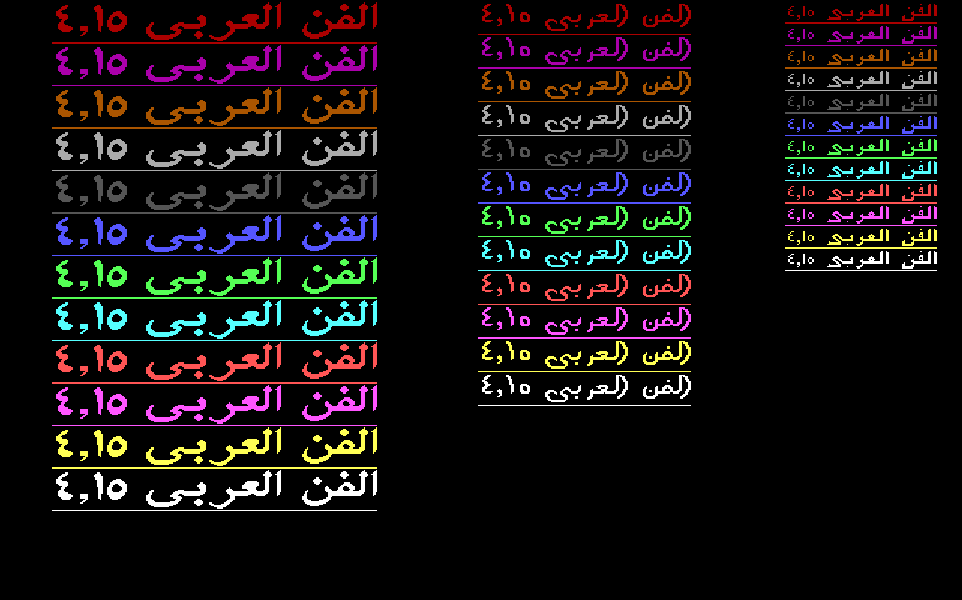
The ARABART demo
His showcase for the library: one line in fonts 1 to 4 and in 12 colors, with stretched letters, then all of it again in italic. It is written in Borland C++, and every call to ARABART is a few lines of C: fill in four numbers, then make one call.
Run DEMO.EXE in your browser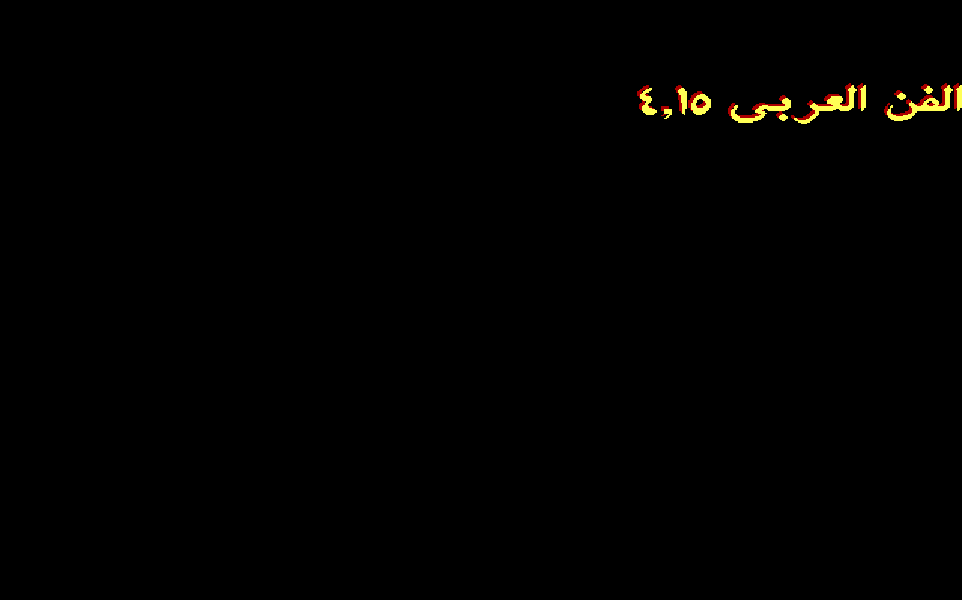
The ARABART editor
A one-line Arabic typewriter. After every key it clears the screen and asks ARABART to draw the whole line again. Shift+Q, W, E and R pick fonts 1 to 4, Shift+C the text color, Shift+V the shadow color, and Shift+\ turns 3-D on and off. The typewriter at the top of this page is the same idea, on the same code.
Run EDITOR.EXE in your browser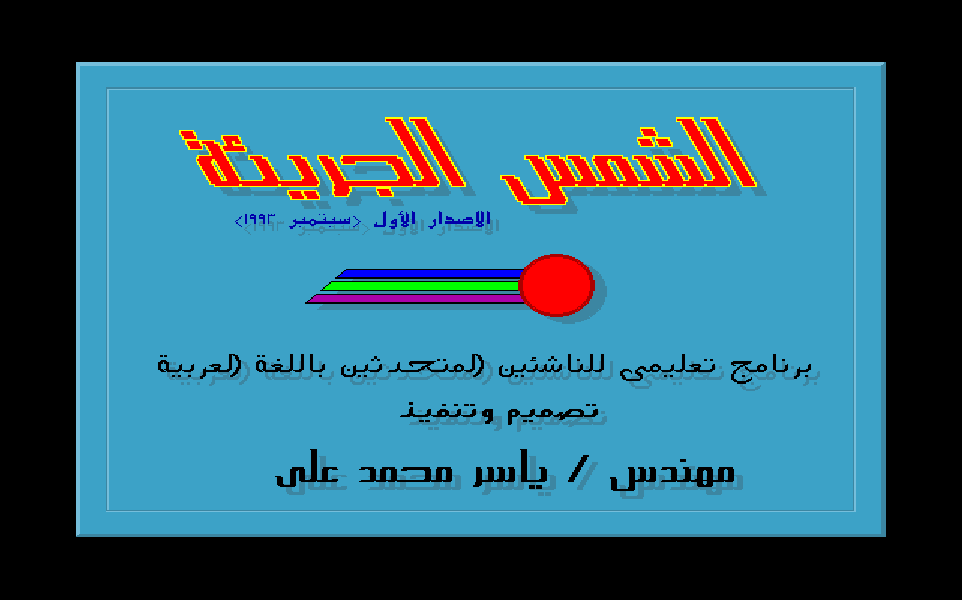
The Brave Sun
His entry to the PC Middle East competition for Arabic educational software, which won 3rd place. Every word of Arabic in it comes from ARABART. It picks a font 59 times, uses font 5, made just for it, and builds two effects of its own on top of ARABART: a shadow and an outline.
Run SUN.EXE in your browserFrom PESM to 7.15
ARABART grew from 1991 to 1993, version by version. Each step made it easier for the next program to write Arabic.
- 1991, PESM. The engine lives inside one program. PESM draws the Basmallah 16 times in different colors, sizes and styles, and it carries its own copy of the joining code and the glyphs. Like copying a library’s source into your project.
- 1993, ARABART 4.15. The engine moves into its own program that stays in memory: five fonts inside, 30,110 bytes in all. DEMO, EDITOR and The Brave Sun all call the same copy. Like a shared service every app on the machine uses.
- 1993, ARAB-ART 7.15. Made for The Brave Sun: the fonts move out into their own file,
ARAB-ART.FNT, 20,264 bytes that begin with his signature,YASSER DOT DESIGN. Like loading a web font file instead of building the font into the page.
PESM and ARABART 4.15 share 3,298 identical bytes: his glyph tables and his 136-byte joining routine. The routine was right in 1991, and it never needed to change. That same year he also made a slide show for a Port Said computer center. It was the step before ARABART: its Arabic is stored as short runs of pixels, drawn with a shadow.
Every Arabic letter on this page, from the title to the typewriter, was drawn by his code. Run PESM, the demo or The Brave Sun to see it on his own screens.