ARABART: Editor
1991 · C:\ARABART\EDITOR.EXE
Loading EDITOR.EXE, 50 KB
A one-line Arabic typewriter. With every key you press, his library joins the whole line again, in the font, color and style you pick.
The story
Yasser wrote this small tool in Borland C++, with inline assembly for every call to ARABART. The whole program is one loop of 571 bytes: wait for a key, store it, clear the screen and ask ARABART to draw the whole line again. The keys follow the Arabic keyboard layout. On that layout, Shift with Q, W, E and R types small vowel marks that everyday Arabic leaves out. So he gave those keys a better job: they pick the font.
Drive his editor
EDITOR.EXE is a typewriter for Arabic. Every key you press becomes joined Arabic at once, in the font, color and style you pick.
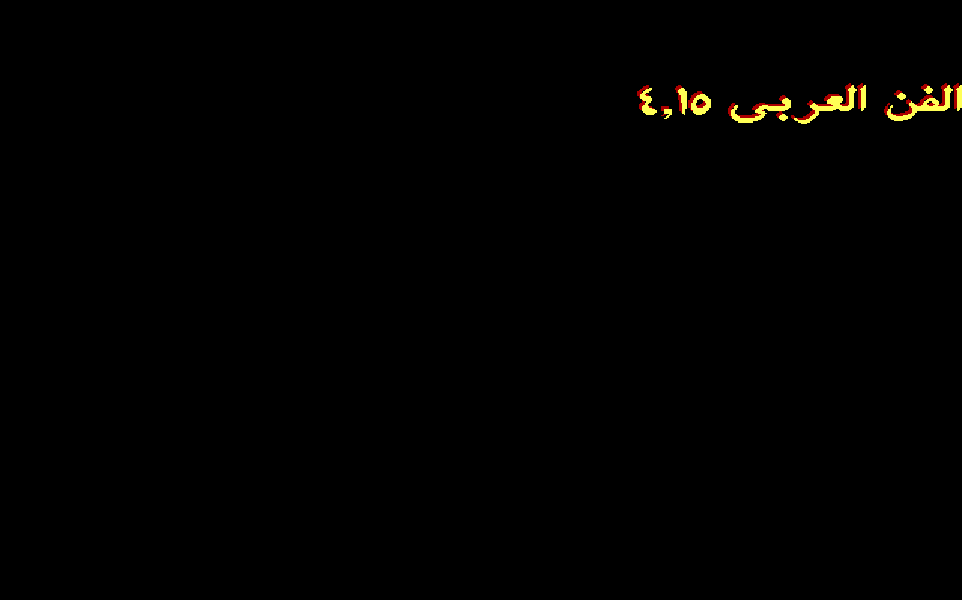
This is his editor’s own logic, running on his own engine, with his own keys. Tap the black screen and type, or use the buttons. It starts where his own session ended: font 3, yellow, 3-D with a red shadow.
- Font
- 3
- Text
- 14
- Shadow
- 4
- Draw
- 3-D, function 8
- Keys
- 16 of 80
His keys know the Arabic keyboard. The four keys that type rare vowel marks there, Shift+Q, W, E and R, became his font keys, 1 to 4. Shift+C and Shift+V step through the 16 screen colors for the text and its shadow. | turns 3-D on and off.
Style keys are different. ! @ # $ and * go into the text itself, like tags in HTML: everything after an @ is bold, until the next @. Command keys change ARABART’s settings and are never stored. Watch the memory window: a style key gets a cell, a command key does not.
From a key to a joined letter
His editor never stores a letter. It stores the key you pressed, and ARABART turns keys into letters every time it draws. That is why the letters reshape as you type.
Press a key, here or in the editor above, and follow its five stops.
6BhEDh11101101This is the Arabic-keyboard encoding at work. A whole line of Arabic is a plain string of English keys, so his C program keeps it in an ordinary 85-byte array. No Unicode, no font file, no layout engine on the C side.
Today your browser does these same steps for you: it stores the text as UTF-8, then a shaping engine picks each letter’s glyph from its neighbors. His ARABART did all of it, in 1,448 bytes of code.
The whole program is one loop
571 bytes of his C. Wait for a key, act on it, clear the screen, draw the whole line again. That is all of EDITOR.EXE.
Pick a key and follow it through his code, line by line. The picture lights the boxes that key passes through. Press keys in the editor above and the loop here traces them too.
- 1D8Floop:
call getch; wait for a key - 1D94
mov [key],al - 1D97
cmp [key],1Bh; Esc? - 1DA1
mov [i],50h; end after this - 1DA6
cmp [key],'Q'; Shift+Q? - 1DAD
mov ax,3603h; pick a font - 1DB1
mov cx,1; font 1 - 1DB6
int 10h; call ARABART - 1DBC
mov [key],0; not a letter - 1DC0
dec [i]; not stored - 1DC3
cmp [key],'W'; same, font 2 - 1DE0
cmp [key],'E'; same, font 3 - 1DFD
cmp [key],'R'; same, font 4 - 1E1A
cmp [key],'C'; Shift+C? - 1E20
cmp [color],10h; past 16? - 1E26
inc [color]; next color - 1E30
mov ax,3601h; set colors - 1E34
mov cl,[color] - 1E37
mov ch,[shadow] - 1E3C
int 10h; call ARABART - 1E42
mov [key],0; not stored - 1E49
cmp [key],'V'; same, shadow - 1E78
cmp [key],'|'; | key? - 1E85
mov [fn],3608h; 3-D - 1E8C
mov [fn],3607h; plain - 1E98
cmp [key],0; a command? - 1E9C
je 1EFAh; just redraw - 1E9E
cmp [key],8; Backspace? - 1EAD
mov es:[bx],al; buf[i] = key - 1EB8
mov byte es:[bx],0; erase - 1EC2
dec [i]; one back - 1EDF
mov al,es:[bx]; copy 85 bytes - 1EEE
mov es:[bx],al; to the draw copy - 1EFA
call cleardevice; a black screen - 1F08
lds dx,[out]; the text - 1F0B
mov cx,27Fh; x = 639 - 1F0E
mov bx,64h; y = 100 - 1F11
mov ax,[fn]; 3607h or 3608h - 1F14
int 10h; draw the line - 1F1F
inc [i] - 1F22
cmp [i],50h; 80 keys yet? - 1F28
jmp loop; next key - 1F2B
call closegraph; the end
-
for (i = 0; i < 80; i++) { -
key = getch(); -
if (key == 27) key = 0, i = 80;// Esc -
if (key == 'Q') font(1), key = 0, i--; -
if (key == 'W') font(2), key = 0, i--; -
if (key == 'E') font(3), key = 0, i--; -
if (key == 'R') font(4), key = 0, i--; -
if (key == 'C') { -
color = color > 16 ? 1 : color + 1; -
colors(color, shadow); key = 0; i--; -
} -
if (key == 'V') { /* same, shadow */ } -
if (key == '|') { -
fn = fn == 0x3607 ? 0x3608 : 0x3607; -
key = 0; i--; -
} -
if (key != 0) { -
if (key != 8) buf[i] = key; -
else { buf[i] = 0; i--; -
buf[i] = 0; i--; } -
memcpy(out, buf, 85); -
} -
cleardevice(); -
arabart(fn, 639, 100, out);// draw -
} -
closegraph();
- key
- 6Bh “k”
- i
- 3 keys typed so far
- clr
- 14 yellow
- fn
- 3608h draw in 3-D
His loop waits here until you press a key. You press k.
Drawing everything again after every key keeps the program tiny and always right. The screen is always made from the text, so it can never drift out of step with it. Modern interfaces are built on the same idea: React renders the view from the data on every change.
| 1991 to 1993 | 2026 | Why it is the same idea |
|---|---|---|
| Clear the screen and draw the whole line after every key | React rendering the view from state | The picture always comes from the data, so it cannot drift. |
One getch() loop reads letters and commands | One keydown handler that checks for shortcuts before it inserts text | One stream of keys; the code decides which ones are commands. |
| Style keys stored in the text, commands sent to ARABART | Markdown’s **bold** in the text, a font menu in the app | Some styling travels with the text. Some belongs to the program showing it. |
| ARABART keeps its font and colors between programs | A background service that keeps its own state | Run the editor again and it starts in the colors you left it in. |
For engineers: the start of main() and the draw call
mov word [bp-8],3607h ; fn: plain text to start mov byte [bp-9],1 / mov byte [bp-0Ah],1 ; color and shadow counters call initgraph ; Borland graphics: detect the card mov ax,3600h / int 10h ; is ARABART in memory? cmp ax,5944h / je 1D5Dh ; it answers 5944h mov byte es:[bx],0 / inc word [bp-16h] ; clear 85 bytes of buffer push si / push di / push bp / push es / push ds ; save nine registers push dx / push cx / push bx / push ax lds dx,[bp-12h] / mov cx,27Fh / mov bx,64h ; text, x = 639, y = 100 mov ax,[bp-8] / int 10h ; draw: 3607h or 3608h Every call to ARABART is a small block of inline assembly inside his C: save the registers, load AX and CX, int 10h, restore. Before the draw call he saves nine registers, so ARABART is free to use any of them. The buffer starts at DS:0093 and the copy ARABART reads at DS:00EF. The editor is built with Borland C++ and its graphics library. See main() in Every Byte.
Every Byte of EDITOR.EXE
Each square is one byte of the program in memory, colored by what it is. Tap a part to open it in the full map, down to the single instruction.
17,492 bytes on the disk, packed by DIET
27,088 bytes in memory, 756 of them his own code
- Borland library85%
- Data9.9%
- Fix-up list2.3%
- Code2.1%
- Empty space0.6%
- Stack0.5%
- Header0.1%
The biggest parts, his first
- main()571 bytesYasser
- His buffers185 bytesYasser
- Borland graphics library (BGI)15,472 bytesBorland’s compiler
- Borland C++ startup and runtime7,421 bytesBorland’s compiler
- Borland data2,343 bytesBorland’s compiler
- Relocation table632 bytesBorland’s compiler
Mapped by hand from the program’s own bytes.