Digi-Test
1993 · C:\DIGI_T\MAIN.EXE
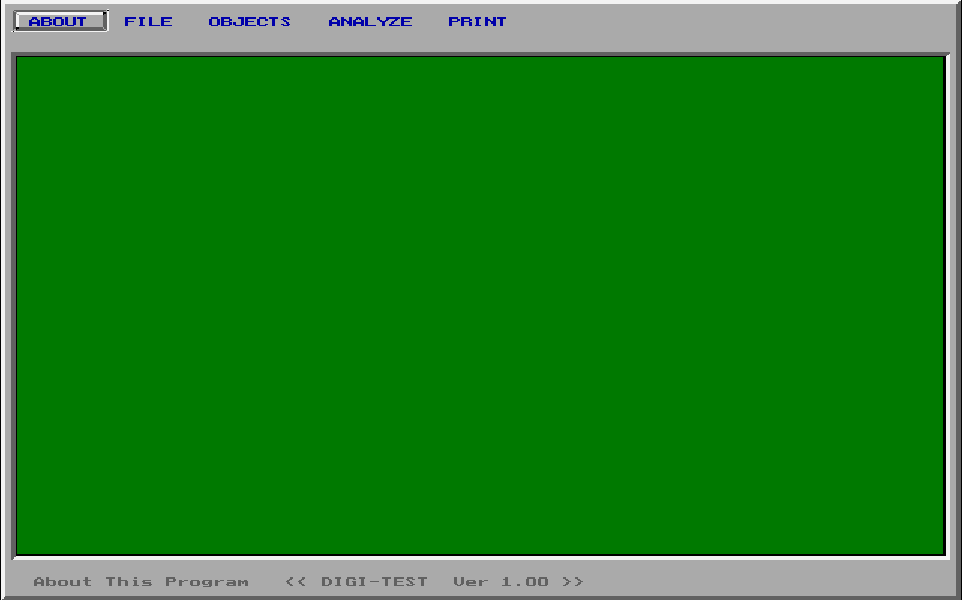
Loading MAIN.EXE, 129 KB
His graduation project: put real logic chips on a board, wire them up, and watch the circuit run.
The story
Digi-Test was the heart of the KEMYAM group's graduation project, and Yasser wrote the software. It is real object-oriented C++ from 1993. You place real chips on a sheet, wire them with the keypad, and it works out what the circuit does. To test a real board it gives every wire five values: 0, 1, unknown, and two marks that carry a fault to the output. Every chip and gate it knows is a small data file, so a new chip needs no new code. With the team's plug-in card, it drove the real circuit and told the technician exactly where to place the probe next.
KEMYAM, the circuit he defended
This is the circuit Yasser’s team showed at their graduation defense in 1993, drawn from the very file Digi-Test saved it in. Flip the inputs. His program’s own rules decide what lights up.
P8 = 1
Output P8 is 1
Digi-Test was the graduation project of five students in Port Said: Ebrahim El Etr, Hatem Moustafa, Khaled Zakaria, Mohamed Asaad and Yasser. You place real 74xx logic chips on a sheet, wire them with the keyboard, and the program works out what the circuit does. With the team’s own plug-in card, it also tested the real circuit on the bench and led the technician straight to the broken chip.
Yasser wrote it in C++, with a few lines of assembly where it touches the hardware: 131,248 bytes of his own code in about 540 functions. Picture an early Logisim with a hardware test rig attached. The board above is KEMYAM, from his file FIL0.CIR. It has 4 chips, 11 gates, 8 inputs, one output, 8 nodes and 38 wires, each one exactly where he drew it.
Every row, like an odometer
The PRINT menu sends the circuit’s truth table to the printer: every combination of inputs, with the output for each. To visit them all, Digi-Test counts like a car odometer. The first input flips on every row, and when it rolls back to 0 it carries to the next one. KEMYAM has 8 inputs, so 256 rows. Press Run and watch the paper.
Circuit truth table.
- 1611110000|1
- 8011110010|1
- 14411110001|1
- 20811110011|1
- 25410111111|0
- 25501111111|0
- 25611111111|0
Row 256 of 256. P8 lights in 4 of 256 rows.
Every wire is the keys that drew it
You draw a wire in Digi-Test with the numeric keypad. Yasser saved each wire as exactly those keys, one digit per step. Draw one yourself.
08080809090906060600
The same wire as an SVG path: M8 12 v-3 l3 -3 h3
8 is up, 2 is down, 4 left, 6 right, and 7, 9, 1 and 3 are the diagonals. A wire is one end point plus a short string of digits. Drawing it from the file is a loop that moves a pen one step per byte. The idea has a name today, a chain code, and you use it every time you write an SVG path with h, v and l.
One more kind of byte draws a part instead of a step. Add the direction and 4 to 60h, and you get a resistor 7 cells long: 6Ah is a resistor pointing right. They are the small red parts on KEMYAM’s ground line and on the way to P8. All 170 wires in his files, KEMYAM’s 38 among them, land exactly on the pins they belong to.
A new chip is a new file, not new code
Digi-Test knows 28 real chips, from the 7400 to the 7440. None of them is written into the program. Each one is a small file that the program reads, the way a modern app reads its components from JSON.
7400: 4 gates of type Nand2_1, from FIL0.IC.
pingatekindat
100200000
200200100
300400200
401200000
501200100
601400200
700100000
802400200
902200000
1002200100
1103400200
1203200000
1303200100
1400020000
typeNand2_1
NAND Nand2_1
02inputs 01outputs 01controlling value 02inverts 00 00second output
| A | B | out |
|---|---|---|
| 0 | 0 | 1 |
| 0 | 1 | 1 |
| 1 | 0 | 1 |
| 1 | 1 | 0 |
Pick the 7400, then the 7408, then the 7432. Their pins are byte for byte the same: four gates, inputs on pins 1 and 2, output on pin 3, and so on round the chip. The only thing that changes is the gate type written at the end of the file. To teach Digi-Test a new chip, you add 138 bytes. You never touch the code.
The gate types are files too, and two of their bytes decide everything. The controlling value is the input that settles a gate by itself. A 0 settles an AND and a 1 settles an OR, just like false && x and true || x in JavaScript. The second byte says whether to flip the answer. Flip both in the gate file above, and one routine becomes AND, NAND, OR or NOR.
Five values find a broken pin
To test a board, you need inputs that make a broken pin show at the output. Digi-Test finds them by giving every wire five possible values instead of two.
- 0low
- 1high
- Xnot known yet
- D1 if the chip works, 0 if it is broken
- D̄0 if it works, 1 if it is broken
With D and D̄, one pass simulates the working board and the broken board at the same time. It is like running both branches of an A/B test in one go. This is the heart of J. Paul Roth’s D-algorithm, the method behind the tools chip makers still use to test their chips. Yasser’s gate routine is short. It reads the inputs one by one and counts them by kind. Set up a gate and step through it.
- 0 decide nothing
- 0 D
- 0 D̄
- 0 X
- 016A
mov al,es:[bx+18h]; controlling value, from the .GAT file - 016F
call far 0D8D:047A; NOT: flip it - 0175
mov [bp-7],al; keep the value that decides nothing - 018Bnext:
mov al,es:[bx+si]; read one input - 0198
cmp al,[bp-8]; the controlling value? - 019D
mov byte ptr [bp-2],1; yes: decided - 01A6
cmp al,[bp-7]; the other value? - 01AB
inc byte ptr [bp-4]; count it - 01B5
cmp ax,6; 6 is his code for D - 01BA
cmp ax,9; 9 is his code for D̄ - 01C1
inc byte ptr [bp-5]; count a D - 01C6
inc byte ptr [bp-6]; count a D̄ - 01CB
inc byte ptr [bp-3]; anything else: an X - 01CE
cmp byte ptr [bp-5],0; a D and a D̄? - 01DA
mov byte ptr [bp-2],1; then decided too - 01DE
inc byte ptr [bp-1]; next input - 01E8
cmp al,[bp-1]; any left? go to next - 01FFdone:
mov al,es:[bx+18h]; decided: the controlling value - 0214
mov al,[bp-7]; all agreed: the other value - 022D
mov byte ptr [bp-8],6; only D left: D (0233: D̄) - 0258
or al,1; an X with a fault: try here later - 0270
call far 0EFF:0330; invert, if this gate inverts
-
ctrl = gate->ctrl;// 0: AND, 1: OR -
other = NOT(ctrl); -
decided = agree = nD = nDb = nX = 0; -
for (i = 0; i < n && !decided; i++) { -
v = in[i]; -
if (v == ctrl) decided = 1; -
else if (v == other) agree++; -
else if (v == D) nD++; -
else if (v == DBAR) nDb++; -
else nX++; -
if (nD && nDb) decided = 1; -
} -
if (decided) out = ctrl; -
else if (agree == n) out = other; -
else if (!nX) out = nD ? D : DBAR; -
else { frontier = 1; return; } -
out = invert(out, gate->inv);
- ctl
- 0 the value that decides it alone (AND family)
- i
- 1 which input
- agr
- 1 inputs at 1, the value that decides nothing
- D
- 1, 0 inputs at D, at D̄
- X
- 0 inputs not known yet
- out
- D the output
This gate does not invert: the output stays D.
Break a pin on KEMYAM
Now the same routine runs on every gate of the defense circuit. Pick a pin to break, stuck at 0 or stuck at 1, and watch the red D travel toward P8. When P8 shows D or D̄, the working and the broken circuit disagree: these inputs are a test pattern for that fault.
P8 = 1
Pick a pin to break.
His ANALYZE menu takes it from there. It builds a fault dictionary: for every pattern, which broken pin changes which output. It lists the faults no pattern can reveal. Then it runs DETECT FAULT through the card, on the real board.
The card, and a probe that knows where to go
With the team’s plug-in card in the PC, Digi-Test tested the real circuit on the bench. Yasser wrote the few lines that talk to the card in assembly, right inside his C++.
Decimal 15 Hex 0Fh
- 0B23
mov ax,es:[bx]; the test pattern - 0B2C
mov ah,0; keep 8 bits, one per input - 0B2E
mov cx,8; his inline assembly starts here - 0B31
xor bx,bx; BX = 0: the reversed byte - 0B33rev:
shr ax,1; lowest bit out, into the carry flag - 0B35
rcl bx,1; carry in, at the other end - 0B37
loop 0B33; 8 times - 0B39
mov ax,bx - 0B3B
mov dx,301h; the card - 0B3E
out dx,al; 8 bits to the circuit’s inputs - 0B3F
xchg al,ah - 0B41
shr ax,1 - 0B43
mov dx,300h - 0B46
out dx,al; a second write, to port 300h - 0B4Bread:
mov dx,300h - 0B4E
in al,dx; read the circuit’s outputs - 0B52
inc si / cmp si,7D0h; 2,000 times - 0B5F
mov es:[bx],ax; keep the last reading
-
unsigned char p = pattern;// a bit per input -
unsigned char r = 0; -
for (i = 0; i < 8; i++) { -
carry = p & 1; p >>= 1;// shr -
r = (r << 1) | carry;// rcl -
} -
outportb(0x301, r);// set the inputs -
outportb(0x300, r << 7); -
for (i = 0; i < 2000; i++)// let it settle -
answer = inportb(0x300);
- AX
- 0000 0000 the pattern, losing a bit each turn
- BX
- 1111 0000 the same bits, reversed
- CF
- 0 the carry flag: one bit in transit
- CX
- 0 turns left
That last reading is the circuit’s answer. Digi-Test compares it with what its simulation expects. If they differ, the guided probe takes over.
The card sits in one of the PC’s expansion slots, at two I/O ports that IBM set aside for home-made cards. There is no driver. One OUT instruction sets the circuit’s inputs and one IN reads its outputs. On an Arduino plugged into USB, the same job is digitalWrite() and digitalRead(). A second routine reads the hand probe the same way, from a single bit.
Place the guided probe here
When the board’s answer differs from the simulation, Digi-Test does more than flag the board. It walks back from the wrong output, one gate at a time, and tells the technician where to touch the guided probe next. Those are his words on the screen. Below, one chip on KEMYAM hides a fault. Apply the pattern, then follow the probe.
Press Apply to send the test pattern.
| 1991 to 1993 | 2026 | Why it is the same idea |
|---|---|---|
| Five values, D and D̄, carry one fault through the circuit | ATPG tools such as Synopsys TestMAX and Siemens Tessent | The same stuck-at faults and the same goal: inputs that make a fault show. Today they run on chips with millions of gates. |
OUT to the card, then IN, straight from the program | An Arduino on USB: digitalWrite(), delay(), digitalRead() | The same three steps, on a board with no slot. |
| “Place the guided probe here” | Boundary scan (JTAG) reads the pins from software | Walk back from the bad output until a part turns good inputs into a bad output. |
Real C++, in 1993
C++ was young in 1993, and most DOS programs were plain C. Digi-Test is built from about 20 classes: gates, chips, wires, nodes, inputs and outputs, the drawing sheet, each one carrying its own data and its own code.
- 01F2
push [bp-0Ch] / push [bp-0Eh]; this: the object, as a far pointer - 01F8
les bx,[bp-0Eh]; point at the object - 01FB
mov bx,es:[bx]; its first 2 bytes: where its class’s table is - 01FE
call far [bx+34h]; slot 34h of that table
In C++obj->evaluate();In JavaScriptobj.evaluate();
One fixed slot of that table holds the address of this class’s own method. One instruction calls it. For a gate, that is Gate’s own evaluate: the routine you stepped through above.
This is the idea that makes the whole program hang together. His fault code holds an object and calls one slot of its method table, 15 times in all. It never asks what kind of object it is. A gate answers with gate code, a chip with chip code, a node with node code. In TypeScript you would write an interface with an evaluate() method; in JavaScript, the prototype chain finds the right function the same way.
He built on Borland C++ and its container classes, which he compiled from their source right inside his project. The biggest object of all is the drawing sheet, 30,105 bytes. Almost all of it is a grid of 153 by 98 cells, one for every spot where a chip, a node or a wire can go.
For engineers: a constructor, as Borland C++ 2.0 compiled it
or ax,[bp+8] ; this == 0? then no memory was given push 1Ch ; ask for 28 bytes call far 1EAC:005F ; Borland’s Object::operator new call far 0EFF:0ABB ; the parent class’s constructor mov word ptr es:[bx],0335h ; write the Gate method table into the first 2 bytes The program uses Borland’s large memory model, so every pointer is a 4-byte far pointer and every method call is a far call. Stack checks are on in every one of his functions, a safety net he chose while developing. See the constructor in the byte map, or the gate evaluator.
His group’s name on every file
Every file Digi-Test saves starts with the same line, “Copyright 1993 by KEMYAM”, then a Ctrl-Z, then the data, then the file’s own length. Here is a whole gate file, all 60 bytes.
The gate: 2 inputs, 1 output, controlling value code 1 (a 0), inverts code 2 (yes). That is a NAND.
C:\DIGI_T>TYPE FIL0.GAT
Copyright 1993 by KEMYAM (c) For Gate Save
C:\DIGI_T>_
The Ctrl-Z is a quiet touch. DOS’s TYPE command stops at that byte, so anyone peeking at a Digi-Test file sees the group’s copyright and nothing else. PNG files use the same trick in their first 8 bytes. The length at the end works like an HTTP Content-Length: a file that was cut short on a floppy is refused at once.
Files have numbers, not names. A catalog such as GROUP.CIR keeps the names in order, so KEMYAM, the first entry, lives in FIL0.CIR. Before every save, Digi-Test renames the old file to BFL0.CIR, a one-step undo like a .bak file. 18 of those backups are still in the folder.
For engineers: the five file formats
GROUP.*(4 catalogs): from 32h, a count, then one 13-byte entry per file: a 12-byte name and a flag. Entry n isFILn..GAT(9 gate types): from 32h, inputs, outputs, controlling value, inversion, and 2 bytes for a second output. Values use his codes: 1 means 0, 2 means 1..IC(28 chips, 7400 to 7440): from 3Ch, the pin count, then 4 bytes per pin (gate number; kind: input 20h, output 40h, ground 10h, power 02h; place in the gate), then the gate type’s name and the number of gates in the package..TCK(2 logic families, TTL and TTL with open-collector outputs): one byte marks the open-collector family..CIR(circuits): from 3Ch, an object count, then each object: x, y, a type (0 chip, 2 wire, 3 node, 4 input or output) and its fields. Wires come last, each with its two ends, the pins it joins, and its keypad path.
The program writes the circuit’s objects with a raw DOS call in inline assembly (1C5C:003C) and checks the length on every load (1C5C:04E5). A decoder built from his save code reads all 70 data files to the exact byte. See the save routine in the byte map.
Every Byte of MAIN.EXE
Each square is one byte of the program in memory, colored by what it is. Tap a part to open it in the full map, down to the single instruction.
79,358 bytes on the disk, packed by DIET
202,720 bytes in memory, 135,915 of them his own code
- Code66%
- Borland library21%
- Fix-up list8.3%
- Data3.0%
- Text2.1%
- Start-up code0.3%
- Header<0.1%
- Empty space<0.1%
The biggest parts, his first
- Analysis engine20,704 bytesYasser
- Netlist builder and shared helpers16,192 bytesYasser
- Chip symbol drawing9,456 bytesYasser
- Circuit propagation helpers8,864 bytesYasser
- Dialogs and windows8,192 bytesYasser
- Main window and menus8,080 bytesYasser
Mapped by hand from the program’s own bytes.