Kemyam: Group Names
1993 · C:\NAMES\NAMES.COM
Loading NAMES.COM, 13 KB
About 1.1 KB of assembly that plays 10 compressed pictures and introduces the five members of his graduation team.
The story
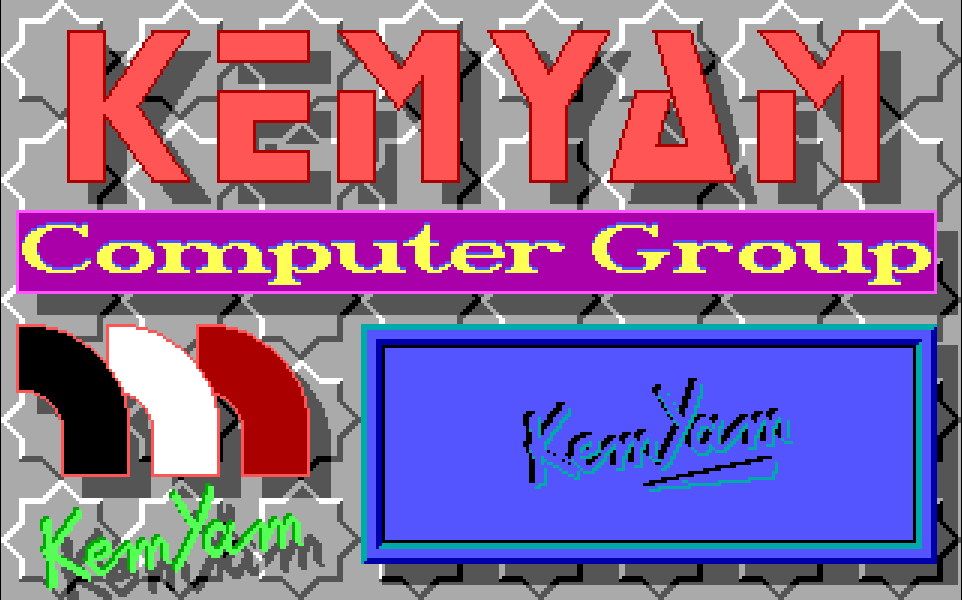
The KemYam group's name slides in, their logo builds itself column by column, and each of the five members gets a card of their own. Yasser wrote all of it by hand in assembly: the picture format, the decoder and five effects. Its timing counts the screen's refreshes instead of trusting the processor's speed, so its pauses last the same on every PC.
Five names, one splash
For the defense of his graduation project in 1993, Yasser opened with a show. First his team's name, then its logo, then a card for each of the five members of the KemYam group.

15. The KemYam box again
The cards name Yasser Mohamed Ali, Mohamed Asaad Fouda, Khalid Zakaria Moustafa, Hatem Mohamed Moustafa and Ebrahem El-Syed El-Etr. Between cards, the blue KemYam box comes back, so every name gets its own entrance. Pick a name above to replay that card.
Every byte of NAMES.COM is his. There is no compiler and no library inside it: 1,097 bytes of hand-written assembly, his own picture format, his own decoder and five effects of his own. This page plays the real pictures from his file, through his code ported line by line to JavaScript.
His own picture format
One byte, 37h, is his marker. Any other byte is copied as it is. After the marker come a count and a byte to repeat: three bytes that can stand for up to 255.
This is run-length encoding, the simplest way to pack a picture: say "39 of these" instead of writing them 39 times. BMP and TIFF files can still be packed this way, and JPEG uses runs for its zeros. The marker 37h followed by a count of 0 ends a picture, and the next two bytes give the size of one color layer.
Step through his decoder below on the real first bytes of his background tile. Watch the left window read and the right one fill: 37 27 FF becomes 39 bytes of FF, one rep stosb instruction writing them all. The C version beside it is the same loop, line for line.
37h marker, count, byte copied as it is
0 bytes out. Each bit is one pixel of the first color layer.
- 0899
mov es,[0509h]; the buffer, just past the program - 089D
xor di,di; write from its first byte - 089F
mov si,[0503h]; read from the next picture - 08A3next:
lodsb; read one byte - 08A4
cmp al,37h; his marker? - 08A6
je run - 08A8
stosb; no: copy it out as it is - 08A9
jmp next - 08ABrun:
lodsb; how many - 08AC
cmp al,0; 0 means the picture ends - 08AE
je done - 08B0
xor ch,ch - 08B2
mov cl,al; CX = how many - 08B4
lodsb; which byte - 08B5
rep stosb; write it CX times - 08B7
jmp next - 08B9done:
lodsw; the size of one color layer - 08BA
push cs / pop ds - 08BC
mov [0511h],ax; kept for the plane copy - 08BF
mov [0503h],si; the next picture starts here - 08C3
ret
-
void decode(void) { -
byte far *out = buffer;// ES:DI -
byte *in = next_picture;// SI -
for (;;) { -
byte b = *in++; -
if (b != 0x37) { -
*out++ = b;// a plain byte -
continue; -
} -
byte count = *in++; -
if (count == 0) break;// the end -
byte value = *in++; -
while (count--) *out++ = value; -
} -
plane_size = *(word *)in; in += 2; -
next_picture = in; -
}
- SI
- 09B8 next byte in: 1 of 612
- DI
- 0000 0 bytes out
- AL
- 00h the byte just read
- CX
- 0 how many
The picture is unpacked into free memory just past the program, like a buffer you allocate before you decode a PNG.
His decoder never needs to be told where a picture starts. When it finishes one, it leaves its pointer at the next, so the show simply calls it again. For the name cards, which take turns with the KemYam box, a single mov si points it at the right card.
Four layers of color
A 16-color screen keeps each pixel's color as four bits, and each bit lives in its own layer of memory. His pictures are stored the same way: four layers, one after another.

Decimal 15 Hex Fh
Point at the picture to read a pixel.
Switch a layer off and every color that used it changes at once. Blue, green and red make the colors, and the fourth layer makes them bright. These bit planes are like an image saved as separate red, green, blue and alpha channels, except that each channel here is a single bit.
To copy a picture to the screen, his code tells the graphics card which layer to write and copies that layer's bytes. Then it moves on: layers 0, 1, 2 and 3. One instruction, rep movsb, moves each strip. A setting on the card, its Map Mask, decides which layer the bytes land in.
For engineers: his layer copy, line by line
mov es,[050Dh] ; the screen, at A000h mov si,[050Bh] / mov di,[050Fh] ; where to read, where to write mov cx,[0513h] ; how many bytes in the strip mov ds,[0509h] ; the decoded picture mov dx,3C4h / mov al,2 / out dx,al ; the Map Mask register inc dx / mov al,1 / out dx,al ; layer 0 first rep movsb ; copy the strip add si,cs:[0511h] ; the same strip in the next layer shl al,1 / cmp al,10h / jne 099F ; layers 2, 4, 8 mov al,0Fh / out dx,al ; all four layers again Before any of this, his first instructions set up a stack of his own inside the program, mov ss,cs / mov sp,0500h, and place the decode buffer right after the program's last byte. See the plane copy in the byte map.
Five effects to play
Each picture enters its own way. Pick one of his five effects and one of his ten pictures, then run it, step it, or drag through it.

Box. A box opens from the middle, 16 pixels wider and 8 rows taller each step. In his show it opens the KemYam box and every name card.
Every effect is made of the same layer copy, called on different strips in a different order. The yellow lines show what each step copies. The spiral follows a table of 40 screen positions he wrote into the program, starting from the middle and winding out to the edges.
The comb and the columns are two halves meeting. Every other row, or every other column, comes from one side, and the rest come from the other. The box opens from the center of each name card, two bytes wider and eight rows taller every step. With his own pictures, each effect here is exactly his code; with any other picture, the same pattern runs over that picture's space.
In step with the screen
The show keeps time by the monitor, not the processor. Its pauses, and the box that opens every name card, take the same time on a slow PC or a fast one.
push ax / push dxmov dx,3DAh; the screen’s status portin al,dx; read itand al,8; bit 3: the beam is going back upjne 088A; wait while it is still going backin al,dxand al,8je 088F; wait for the next trip back uppop dx / pop axloop 0885; one refresh counted; CX more to goretIn C: while (inp(0x3DA) & 8); while (!(inp(0x3DA) & 8));
Each tick is one check of the port.
A screen redraws itself 60 to 70 times a second, whatever the processor. Each time the beam reaches the bottom, it flies back to the top, and one bit on the graphics card turns on for that short trip. His routine waits for the trip to end, then for the next one to begin: exactly one refresh. Called with 64, it waits 64 refreshes, about a second, between pictures. This is the vertical retrace.
Move the speed. A faster processor checks that bit more often, but the refreshes stay where they are. So his pauses and his box play at the same speed on every PC. A loop that simply counts would finish sooner on every faster machine.
| 1991 to 1993 | 2026 | Why it is the same idea |
|---|---|---|
| Wait for the screen to finish a refresh, then draw the next step | requestAnimationFrame | Both run your drawing once per screen refresh, so motion is smooth and the same everywhere. |
| Pictures packed with a marker byte and a count | RLE in BMP files, PackBits in TIFF, the zero runs in JPEG | Long stretches of one color cost a few bytes instead of hundreds. |
| Copy one color layer at a time through the Map Mask | Writing one channel of a texture | The hardware decides where each byte lands; the code just moves bytes. |
Signed with a spark
When you press a key, the show ends in text mode with his signature, and a bright spark runs along it, one letter per screen refresh.
Each letter on a text screen is two bytes. The spark writes 0F, bright white, into the color byte, waits one screen refresh, and puts the old 07 back.
The text is printed once. After that, his loop touches only video memory. In text mode every letter on screen is two bytes, the letter and its color. So the spark just writes bright white into one color byte, waits a refresh and writes the gray back. Today you would toggle a CSS class on one <span>. He liked this signature enough to bring it, with his decoder and his layer copy, into the boot screen for Port Said Computer Systems.
Every Byte of NAMES.COM
Each square is one byte of the program in memory, colored by what it is. Tap a part to open it in the full map, down to the single instruction.
13,090 bytes on the disk, packed by DIET
59,402 bytes in memory, 59,402 of them his own code
- Picture96%
- Code1.8%
- Stack1.7%
- Table0.1%
- Text<0.1%
- Data<0.1%
The biggest parts, his first
- Blue signature box9,992 bytesYasser
- KEMYAM title9,930 bytesYasser
- "Computer Group" banner5,924 bytesYasser
- Logo and signature5,272 bytesYasser
- Member card 15,088 bytesYasser
- Member card 25,088 bytesYasser
Mapped by hand from the program’s own bytes.